
Quick answer
In multi-tenant SaaS, the paying customer may be a workspace or organization rather than a person. Analytics should separate account health from member behavior and enforce the same tenant boundaries as the product.
Key takeaways
- Analytics-management workspaces and your application's customer accounts are different entities.
- Check access server-side, including direct requests after revocation.
- Use account records for account health and minimal visitor identifiers for analytics.
Choose the correct reporting entity
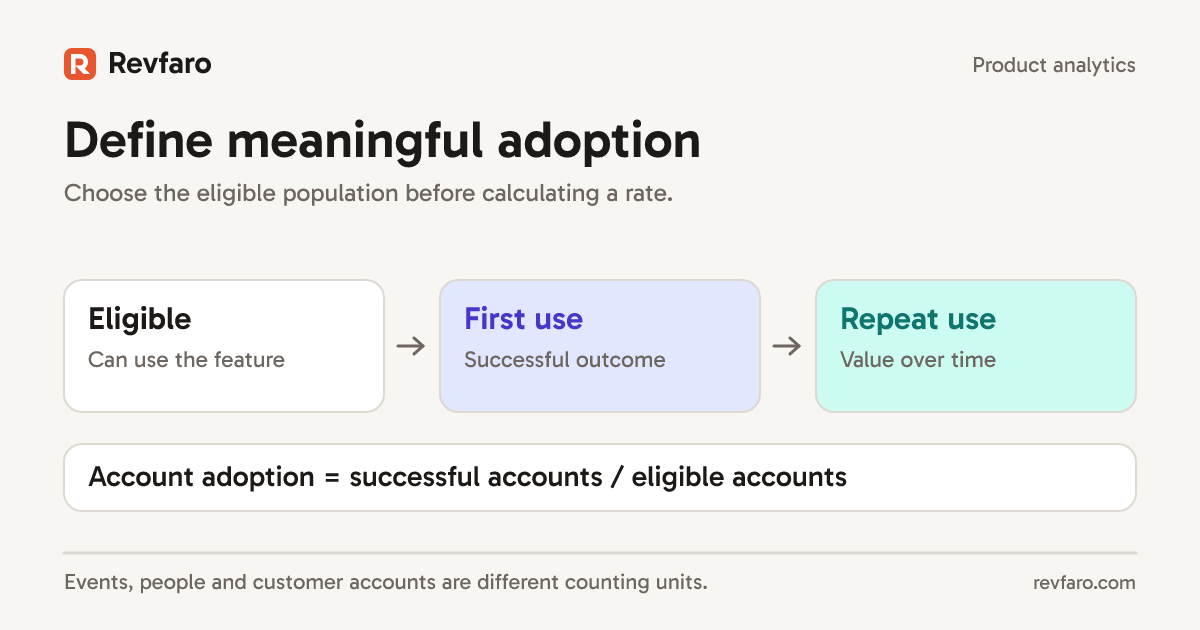
One organization may have twenty members and one subscription. Counting all twenty as customers inflates customer totals and distorts ARPA, churn, and activation. Define site, user, workspace, and billing account explicitly.
Decide whether a shared organization goal needs one member's action or team-wide adoption.
Instrument relationships safely
Use authorized server-side workspace scope on each event and report query. A client-supplied workspace ID is not proof of permission. Test that switching workspaces, sharing links, exporting reports, and background jobs cannot expose another tenant's traffic.
Avoid collecting employee-level behavioral detail unless it is needed and appropriately governed.
Examine account health
An organization might be active because one administrator runs every report while the rest of the team never logs in. That may be healthy for a centralized workflow or a risk for a collaboration product.
Pair active workspaces with seat adoption, value actions, subscription renewal, and customer feedback.
Keep billing and product metrics aligned
Join subscriptions to the correct organization, handle transfers and role changes, and prevent users who belong to several workspaces from having actions merged across customers. Audit permission revocation before public report sharing.
Separate the customer's tenant from the analytics workspace
Consider a hypothetical agency that manages three client websites. In Revfaro, its workspace groups website access and billing. The agency can give a team member manager access to one website and give another member read-only access to the allowed websites. That management boundary is different from the customer organizations inside a client's own application.
Create a small access matrix listing operator, website and allowed action. Verify both the visible navigation and a direct request to a website the operator cannot access. After changing membership, repeat the direct-access check rather than assuming that hiding a menu revoked permission.
The team guide documents Revfaro's workspace and website permissions. It does not turn an arbitrary event property called workspace_id into a trusted customer-account report. Keep your product's account membership and subscription relationships in its authoritative database, and pass only the minimal identifiers needed for an explicitly defined measurement.
Related reading
- Funnel Segmentation: Find Conversion Differences Hidden by Averages
- Analytics API Reporting: Build Reliable SaaS Metrics Integrations
- Feature Adoption Rate: Find Which SaaS Features Deliver Value
Frequently asked questions
Is a workspace the same as a visitor?
No. A workspace can contain many users, and a visitor can interact with multiple authorized workspaces.
Can account-level aggregation improve privacy?
It can reduce unnecessary individual reporting, but access controls and data minimization remain necessary.