
Quick answer
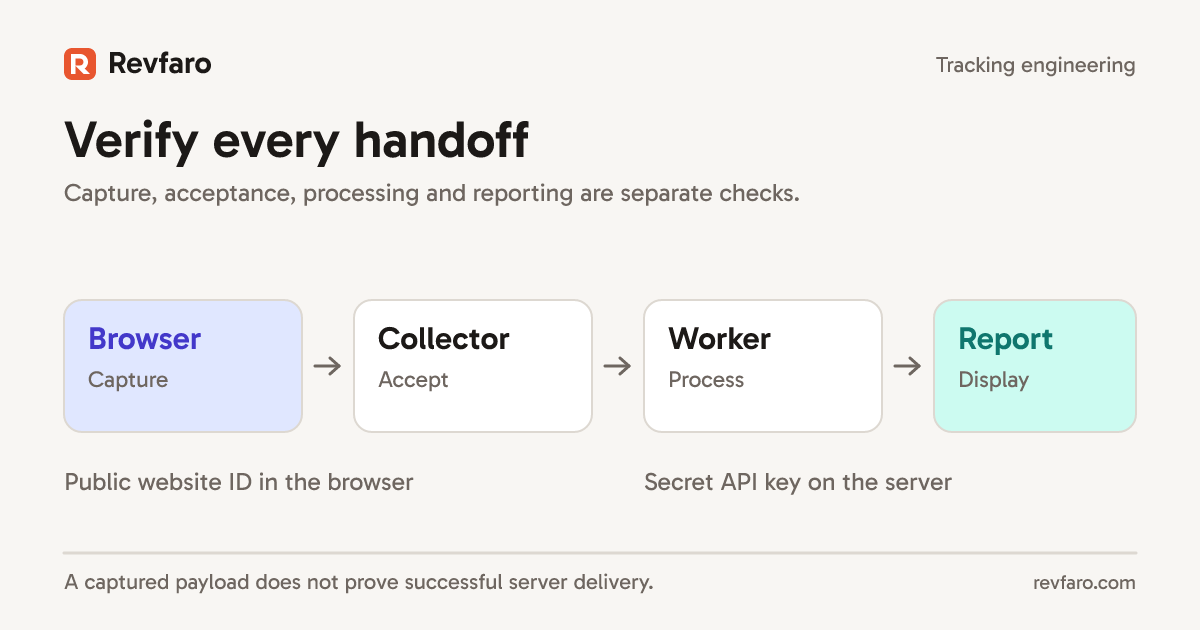
Dodo Payments revenue tracking should distinguish website intent from confirmed payment-provider outcomes. Connect an allowed campaign or visitor key to a transaction, verify notifications, and reconcile purchases and reversals.
Key takeaways
- Use payment.succeeded and refund.succeeded for website revenue.
- Keep site revenue separate from the workspace's Revfaro subscription.
- Resolve product ownership and reporting currency before comparing totals.
Separate two billing relationships
If an analytics product also uses Dodo Payments for its own SaaS subscription, that account billing must remain distinct from revenue imported for a customer's website. Different tenants, credentials, webhooks, and access policies protect both accuracy and security.
Document what constitutes a successful purchase for each product, subscription, and payment method. Avoid assuming every checkout return represents collected money.
Plan an attribution handoff
Record UTM and landing-page context before the buyer starts checkout. If the integration offers suitable metadata or customer identifiers, pass an opaque correlation key through the authorized server-side flow. Keep sensitive visitor information out of public query parameters.
Match a verified payment to the relevant journey and apply one recorded policy, such as last eligible non-direct touch. Unknown matches must remain unknown.
Reconcile payment lifecycle events
A reliable provider webhook integration requires signature verification, duplicate handling and a policy for retried or out-of-order deliveries, including refunds and relevant subscription state. Follow the current Dodo documentation for exact event names and payload fields; do not hard-code assumptions from a blog post.
For example, a $39 sale with a later $10 partial refund may appear as $39 gross and $29 net, depending on the selected reporting basis. Both views need clear labels.
Validate in an isolated test environment
Use synthetic purchases, duplicate notifications, failed payments, cancellations, and currency-edge cases. Compare your transaction ledger to provider records before displaying channel revenue as fact.
Official reference
Consult the current Dodo Payments webhook documentation for supported integrations and webhook semantics.
Configure the site integration, not Revfaro's subscription billing
Open Website settings → Setup → Connect payments → Dodo Payments. Copy the endpoint for that website, select payment.succeeded and refund.succeeded in Dodo, then save its signing secret in Revfaro. These events report your site's sales. They are separate from the Dodo subscription that pays for your Revfaro workspace.
For a server-created checkout, preserve your existing metadata and add rf_visitor_id and rf_session_id through the documented checkout handoff. Set a return URL on your own tracked site. With the npm SDK, read attribution from the shared tracker instance rather than a window global.
If one Dodo account sells products for several websites, configure each site's product IDs. Inspect Payments waiting for a site when ownership cannot be determined; a workspace owner or admin can assign a pending payment to the correct website. Do not assign it solely to make a dashboard total increase.
Revfaro uses a Dodo settlement amount when it matches the site's reporting currency. Other currency amounts remain in history but do not enter totals in an unrelated currency. The dashboard subtracts recorded refunds; it does not expose an accounting gross-versus-net selector or automatically convert every currency.
Related reading
- Stripe Revenue Attribution: A Safe Website-to-Payment Workflow
- Browser Events vs Webhooks: Which Should Power Revenue Analytics?
Frequently asked questions
Is a Dodo checkout completion enough for attribution?
It can establish intent or checkout context, but financial reporting should use confirmed provider state.
Should Dodo subscriptions and one-time sales be mixed?
They can appear in total collected revenue, but recurring run-rate and one-time sales should be separated.