
Quick answer
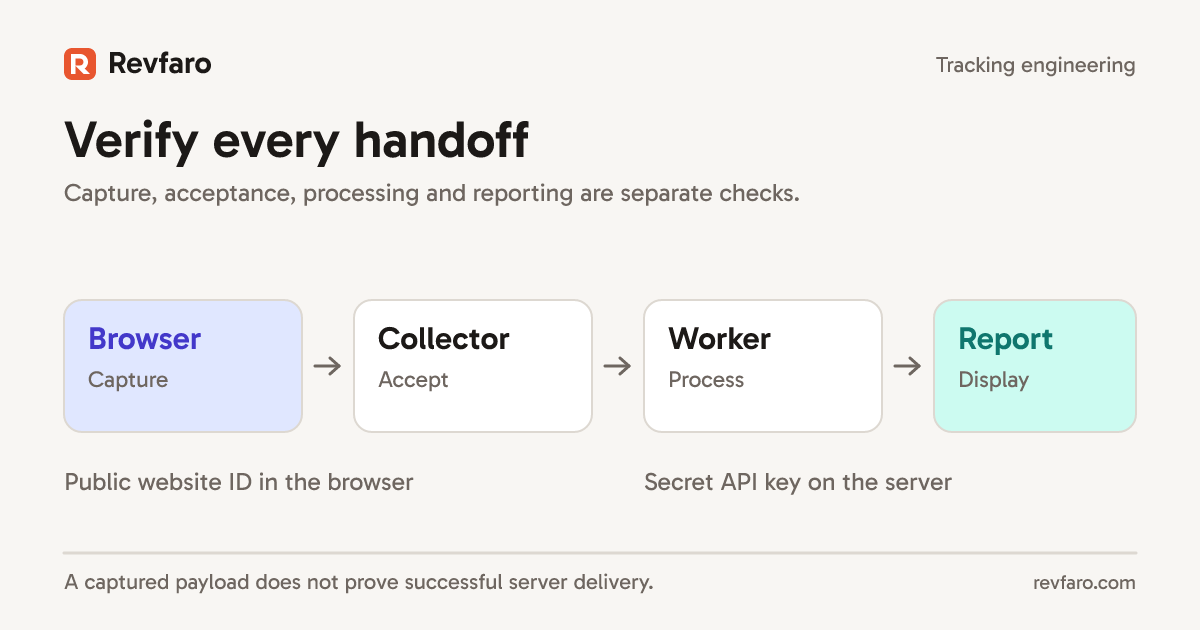
To attribute Stripe revenue to website traffic, capture a permitted acquisition identifier, connect it to a checkout or customer record, verify the payment server-side, and apply a documented attribution rule. Never treat a return-page visit as paid revenue.
Key takeaways
- Configure the website-specific endpoint and supported Stripe events.
- Carry both visitor and session context through the supported checkout handoff.
- Keep test transactions isolated and validate asynchronous payment coverage.
Capture the source before checkout
When an eligible visit arrives, record landing page and campaign context. Create a short, opaque correlation key tied to the customer's authorized session or account. Pass it through a supported checkout metadata mechanism as appropriate; do not place passwords, secrets, or unnecessarily identifying details in metadata.
Cross-device purchases may remain unlinked. A missing match is not permission to invent a source.
Listen for authoritative payment events
Use Stripe's documented event destination/webhook process. Verify webhook signatures using the current provider guidance, process each provider event idempotently, and reconcile final payment status rather than relying on one browser callback.
Some payment methods are asynchronous. A completed checkout flow and settled payment are distinct states, so choose the correct event and status for your revenue definition.
Join the records and apply credit
Match the trusted transaction to its checkout or customer link, then to eligible journey data within a defined lookback period. Preserve provider transaction ID, currency, amount, refunds, and attribution method. Separate first payments from renewals.
An illustrative $49 payment with a known newsletter touch can receive newsletter credit; another $49 payment with no defensible link stays unattributed.
Test failures before production
Exercise duplicate notifications, out-of-order updates, refund reversals, expired sessions, checkout abandonment, and metadata gaps using an isolated test environment. Reconcile totals with Stripe's records; do not direct test transactions into the production analytics site.
Official reference
See Stripe's webhook integration guidance.
Apply the supported Revfaro handoff
Open Website settings → Setup → Connect payments → Stripe. Copy the website-specific webhook URL and configure the events in the Stripe connection guide: checkout.session.completed, invoice.paid and charge.refunded. Save the endpoint's signing secret in Revfaro, never in browser JavaScript. Use the event payload format supported by the integration; do not assume a different event destination format is interchangeable.
When creating Checkout on your server, preserve existing metadata and add the visitor and session identifiers from the supported integration:
metadata.rf_visitor_id = the site's rf_vid value
metadata.rf_session_id = the site's rf_sid value
success_url = https://example.com/thanks?session_id={CHECKOUT_SESSION_ID}
This is a field map, not a complete checkout implementation. Validate input and maintain your existing authentication and purchase rules. The return page must initialize the tracker and remain eligible for collection. With the npm package, use the shared tracker.attribution() instance; npm does not install window.revfaro.
Review the payment's matching method in Journey. Also validate the exact payment methods your checkout supports: an asynchronous payment may require a later provider event, and this guide does not expand Revfaro's supported event list. A browser return alone must never create a financial payment record.
Related reading
- Privacy-First Web Analytics Checklist for SaaS Teams
- Dodo Payments Revenue Tracking: Connect Purchases to Acquisition
Frequently asked questions
Can Stripe webhooks tell me which blog post drove a purchase?
Not automatically. A reliable link from the website journey to the Stripe transaction is required.
Can a success URL prove a payment happened?
No. Use authoritative payment state and the provider's recommended server-side workflow.