Revenue attribution
Connect Stripe
Send Stripe payments, subscription renewals and refunds to Revfaro with a webhook, and pass the visitor to Stripe Checkout or Payment Links for revenue attribution.
In short
Add a webhook in Stripe for checkout.session.completed, invoice.paid and charge.refunded pointing to your website's Revfaro address, paste its signing secret into Connect payments › Stripe, then pass the visitor to your checkout. Checkout Sessions take the visitor in metadata; Payment Links on your pages are tagged by the script automatically. Point the success page to your site with ?session_id={CHECKOUT_SESSION_ID} so payments are matched even without metadata.
On this page
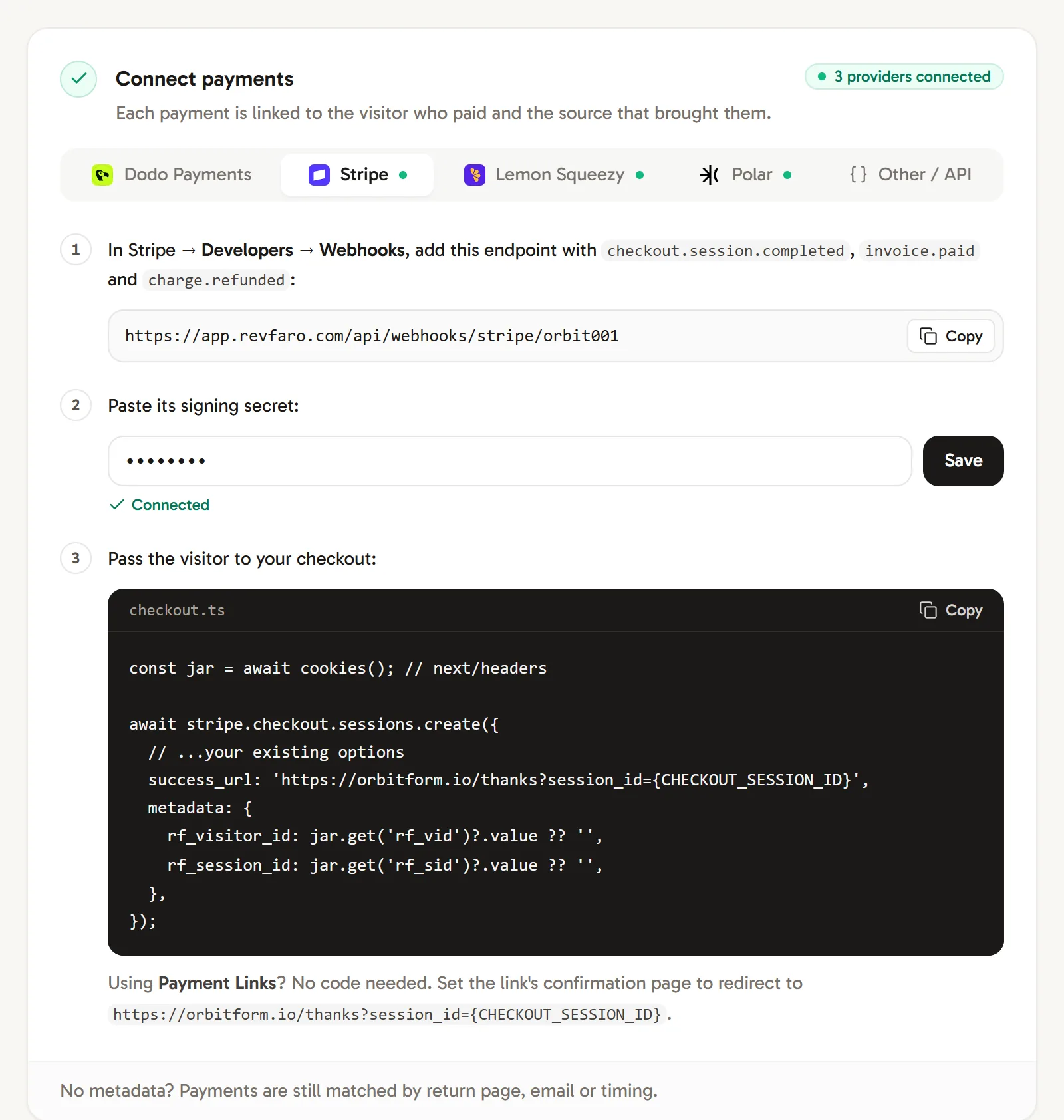
You need a Stripe account and a website in Revfaro with tracking installed. Open Website settings › Setup, go to Connect payments and choose the Stripe tab: it shows these steps with your own webhook address.
These steps work with the script or npm SDK. With npm, initialize tracking on
checkout and return pages. Use your shared tracker.attribution() to read visitor metadata in the
browser; the SDK does not create window.revfaro.
Add the webhook in Stripe
In Stripe, go to Developers › Webhooks and add an endpoint with your website's address from the Stripe tab:
https://revfaro.com/api/webhooks/stripe/YOUR_SITE_IDSelect these events:
checkout.session.completed(payments made through Checkout and Payment Links)invoice.paid(subscription payments and renewals)charge.refunded(refunds)
Add it to your live Stripe account. Test-mode events only arrive if you add a separate test-mode endpoint, and they would count as real revenue.
Paste the signing secret
Stripe shows a signing secret (it starts with
whsec_) for the new endpoint. Paste it into Paste its signing secret in the Stripe tab and click Save. The tab shows Connected, and a green dot appears next to Stripe.Pass the visitor to your checkout
When your server creates a Checkout Session, add the visitor's cookies as metadata and send the buyer back to your site with the session ID:
checkout.tsconst jar = await cookies(); // next/headers await stripe.checkout.sessions.create({ // ...your existing options success_url: 'https://example.com/thanks?session_id={CHECKOUT_SESSION_ID}', metadata: { rf_visitor_id: jar.get('rf_vid')?.value ?? '', rf_session_id: jar.get('rf_sid')?.value ?? '', }, });Not using Next.js? Read the
rf_vidandrf_sidcookies from the incoming request the way your framework does. Keep any metadata you already send and add these two keys.
That's it. The next payment shows up in the Journey tab with its source.
Using Stripe Payment Links
Payment Links (buy.stripe.com/…) need no code. When a visitor clicks one on your pages, the script adds the visitor to the link as client_reference_id, unless the link already has your own. To match payments made on another device or with the script blocked, set the link's confirmation page to redirect to:
https://example.com/thanks?session_id={CHECKOUT_SESSION_ID}Stripe fills in the session ID, and the visitor who lands there is credited.
Opening a checkout from the browser
If your browser code calls your server to create the session and your API is on the same domain, the cookies are sent along automatically. If the API is on another domain, read the IDs in the browser and send them in the request body:
const { rf_visitor_id, rf_session_id } = window.revfaro?.attribution?.() ?? {};
await fetch('https://api.example.com/checkout', {
  method: 'POST',
  headers: { 'Content-Type': 'application/json' },
  body: JSON.stringify({ plan: 'pro', rf_visitor_id, rf_session_id }),
});
Then put them into the session's metadata on your server.
What Revfaro records
- Payments: the amount, currency, customer email and name from
checkout.session.completedandinvoice.paid. - Renewals:
invoice.paidfor later billing periods is credited to the visitor who first subscribed and shown as Returning. - Refunds:
charge.refundedis recorded as a negative amount, partial refunds included. Out-of-order deliveries keep the largest refunded total. A refund that arrives first waits for its payment. Subscription refunds use the exact invoice and payment-intent references in the payment webhooks.
Payments without a visitor ID are still matched when possible; see how payments are matched.
Frequently asked questions
Do Stripe Payment Links work with Revfaro?
Yes. The script adds the visitor to every buy.stripe.com link on your pages (in client_reference_id, unless you set your own). Set the link's confirmation page to redirect to your site with ?session_id={CHECKOUT_SESSION_ID} so payments are also matched there.
Are Stripe subscription renewals tracked?
Yes. Renewals arrive as invoice.paid and are credited to the visitor who first subscribed.
How are Stripe refunds handled?
charge.refunded subtracts the refunded amount from your revenue, including partial refunds.