Tracking
Tag links and campaigns
Use UTM tags, the short ref tag and Revfaro's link builder to see exactly which post, newsletter or ad brought visitors and revenue.
In short
X, LinkedIn, Medium and most apps hide which exact post sent a visitor. Add utm_source, utm_medium and utm_campaign (or the short ref) to the links you share, and each post shows up separately under Campaign with its visitors and revenue. Website settings › Link builder makes tagged links for you.
On this page
Why tag your links?
When someone clicks your link on X, the referrer often only says t.co. On Medium or LinkedIn it's the whole platform, never the post. Tagging the link tells Revfaro which post it was, so you can compare posts by the visitors and revenue they brought.
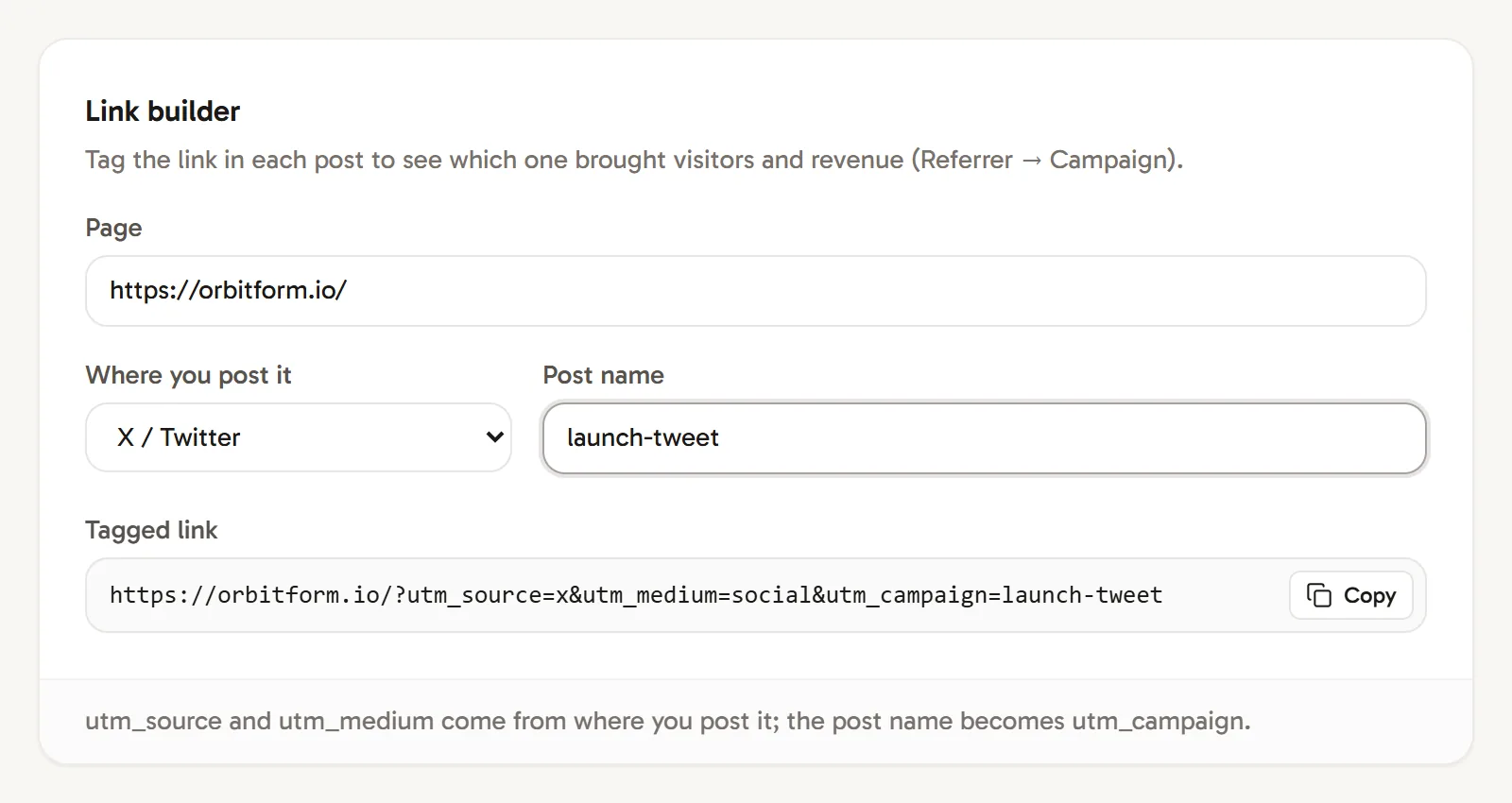
Use the link builder
Open Website settings › Link builder:
- Page: the address you are sharing.
- Where you post it: X / Twitter, LinkedIn, Reddit, YouTube, Medium, Newsletter or Product Hunt. This sets
utm_sourceandutm_medium. - Post name: a short name such as
launch-tweet. It becomesutm_campaign, in lower case with hyphens instead of spaces.
Copy the Tagged link and use it in your post.
Tags Revfaro reads
| Tag | Example | Shown in |
|---|---|---|
utm_source |
x, newsletter, google |
Referrer (as the source) |
utm_medium |
social, email, cpc |
Decides the Channel |
utm_campaign |
launch-tweet, black-friday |
Campaign |
utm_term |
revenue analytics |
Keyword |
utm_content |
hero-button |
Stored with the visit |
ref (or via) |
launch-tweet |
Referrer, when there's no utm_source |
A short link looks like this:
https://example.com/?ref=launch-tweetAnd a fully tagged one like this:
https://example.com/?utm_source=x&utm_medium=social&utm_campaign=launch-tweetTags only need to be on the link people click. Revfaro records them with the visit and keeps the credit with that visit's source for later payments.
How channels are decided
Every visit gets one channel:
| Channel | When |
|---|---|
| Paid | utm_medium is a paid medium such as cpc, ppc, cpm, paid, paid_social, ads, display, retargeting or sponsored. |
utm_medium is email or newsletter, or the source is an email app such as Gmail or Outlook. |
|
| AI | The source is an AI assistant: ChatGPT, Claude, Perplexity, Gemini, Copilot, DeepSeek or Grok. |
| Organic Search | The source is a search engine such as Google, Bing, DuckDuckGo or Brave Search. |
| Organic Social | The source is a social network such as X, LinkedIn, Reddit, YouTube or Hacker News, or utm_medium is social. |
| Referral | Any other website or tag. |
| Direct | No referrer and no tag: a typed address, a bookmark, or an app that hides the referrer. |
Moving between your own pages and subdomains never counts as a referral.
Read campaign results
On your dashboard, the sources card has four tabs: Channel, Referrer, Campaign and Keyword. Each row shows visitors and, once payments are connected, revenue. Click a row to filter the whole dashboard by it.
Frequently asked questions
What is the difference between ref and utm_source?
Both name the source of a visit. utm_source comes with utm_medium and utm_campaign for detailed reports; ?ref=launch-tweet is a short tag for when one name is enough. When a link has both, utm_source wins.
Can I see which Google search keyword brought a visitor?
No. Google doesn't share search keywords with any analytics tool. Filter the dashboard by the Google referrer and look at Entry page to see which pages people found through search.
How does Revfaro decide a visit's channel?
From the source and the utm_medium tag. Known search engines, AI assistants, social networks and email apps have their own channels; utm_medium values like cpc or paid mark Paid, and email or newsletter mark Email. Other referring sites are Referral, and visits with no source are Direct.