Features
Weekly email reports
Get a Monday email summarizing last week for every website in your Revfaro workspace, and turn it on or off per workspace in your account settings.
In short
Every Monday from about 08:00 UTC, Revfaro emails a summary of the previous week (Monday to Sunday) for the websites you can access in a workspace, compared with the week before. Owners and admins get it by default and members can switch it on. Manage it under Account settings › Email reports, where Send a preview emails you last week's report right away.
On this page
What's in the report
One email per workspace covers up to 10 websites you can currently access. Previews follow the same rule. Access is checked again before a queued report is sent. For each website, last week is compared with the week before:
- Visitors, and revenue and conversion once payments are connected, or page views, goals, average visit time and bounce rate otherwise.
- The best day of the week.
- The top channels, referrers, pages, countries and goals.
- The biggest change of the week, highlighted at the top.
Turn it on or off
Open Email reports
Click your name in the top-right corner, choose Account settings and scroll to Email reports.
Switch Weekly for each workspace
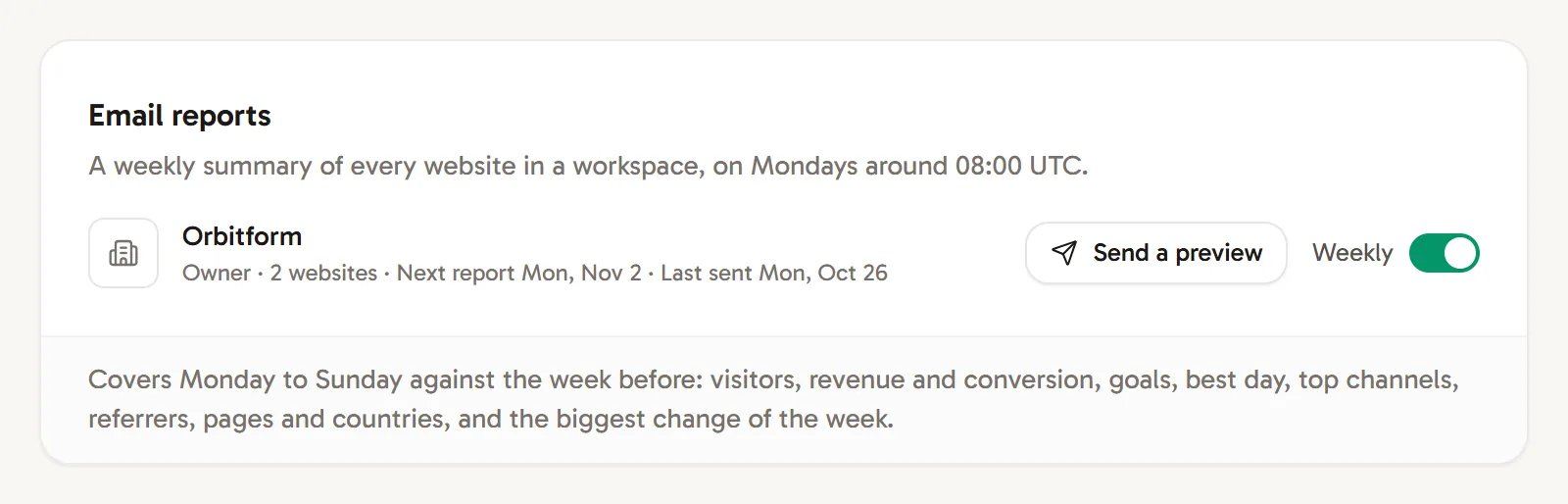
Each workspace you belong to has its own Weekly switch. Next to it you see your role, how many websites you can access, and when the next report is due or when the last one was sent.
Send yourself a preview
Click Send a preview to get last week's report by email right now. It's available once you have access to a website in that workspace.
Who gets it
- Owners and admins get the weekly report by default.
- Members don't, unless they switch it on.
- Your email address must be confirmed.
Every report has an unsubscribe link that works with one click, without signing in. You can switch the report back on in Email reports at any time.
When it's not sent
Reports are not sent for a week without any traffic, and they pause while the workspace's trial or subscription has ended or its monthly events are used up. Missed reports are caught up later in the week when possible.
Frequently asked questions
When is the weekly report sent?
On Mondays from around 08:00 UTC. It covers the previous Monday to Sunday in each website's own timezone.
How do I stop the weekly report?
Switch off Weekly for the workspace under Account settings › Email reports, or use the unsubscribe link at the bottom of any report.
Why didn't I get a report this week?
Reports are skipped for weeks without traffic, and while the workspace's plan is inactive or its monthly events are used up. Your email address must also be confirmed.