Get started
Verify your installation
Check that the Revfaro script is sending visits, read the setup status in your website settings, and fix the most common reasons data doesn't arrive.
In short
Open your website in a normal browser window, then look at the Install the script step in Website settings › Setup: once a visit arrives it turns green and shows the visitors of the last 24 hours. For a closer look, your browser's developer tools should show a request to /api/event answered with status 202 on every page.
On this page
Visit your website
Open your website in a normal browser window, on its real domain. A private window is a good choice: it has no browser extensions and no opt-out flag from earlier tests.
Check the setup status
In Revfaro, open the website's settings (click the website name at the top of its dashboard, then Site settings & install). In the Setup tab, the Install the script step shows:
- a green check and N visitors in the last 24h when visits arrive, or
- No visits in the last 24h while nothing has arrived yet. Click Check again to refresh.
The other two steps work the same way: Track goals turns green once a goal was completed in the last 30 days, and Connect payments once a payment provider is connected or a payment arrived.
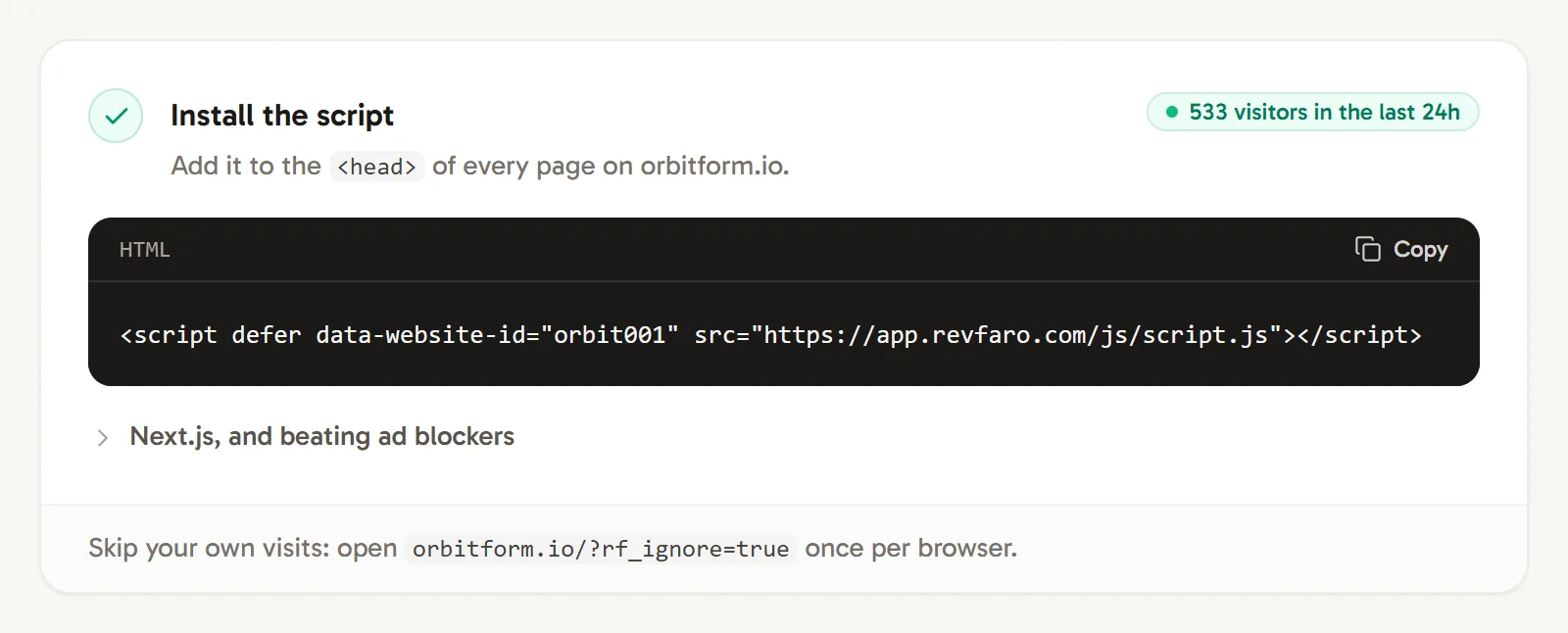
The status of each setup step is read from your real data. Watch your visit live
Open the website's dashboard and click Live (or press M). Your own visit appears on the map and in the activity feed within seconds. See Live view.
Check the request in your browser
For a closer look, open your browser's developer tools (F12), go to the Network tab and reload your page. Filter by event. Every page view sends a request to /api/event, and its status tells you what happened:
| Status | Meaning | What to do |
|---|---|---|
202 |
The event was accepted for processing. | Allow a short processing delay. If it still does not appear, see the checks below. |
403 |
The page isn't on the website's domain or one of its subdomains. | Check the domain under Website settings › General, or install the script with the right website ID. |
404 |
No website has this website ID. | Copy the snippet again from the Setup tab. |
429 |
Too many events from one address in a short time. | Normal browsing never reaches this limit. Behind your own proxy, pass on the visitor's address; see Proxy the script. |
No request at all? The script didn't load or decided not to send. The most common reasons are below.
Why aren't my visits showing?
You excluded yourself. Opening any page with ?rf_ignore=true turns tracking off in that browser until you open a page with ?rf_ignore=false. A private window ignores this flag.
An ad blocker blocked the script. Some blockers stop analytics scripts. Try another browser, or serve the script from your own domain.
The page is on another domain. Only your website's domain and its subdomains are recorded. localhost, *.vercel.app preview URLs and other domains are refused with 403.
Your traffic is excluded. An IP address, country, hostname or page rule under Website settings › Tracking › Exclusions drops matching events. The card shows how many events were excluded in the last 7 days.
The browser is automated. Browsers controlled by test tools (Playwright, Puppeteer, Selenium) and known bots are never counted as visitors. Bots can be tracked separately; see Bot traffic.
A Content Security Policy blocks it. If your browser console shows a CSP error, allow Revfaro in script-src and connect-src. See Install the tracking script.
The workspace's plan isn't active. When a trial or subscription has ended, new events are not recorded. A banner at the top of the dashboard says so. See Plans, billing and usage limits.
Still stuck? See Troubleshooting.
Frequently asked questions
How quickly do visits appear in Revfaro?
Within a few seconds. The live view and the Setup status update as soon as the first event is recorded.
Why does the setup status say "No visits in the last 24h" when I just visited my site?
Click Check again to refresh it. If it still says no visits, the request was refused or never sent; the table of status codes on this page tells you which.
Can I test Revfaro on localhost?
Visits are only recorded on your website's domain and its subdomains, so pages on localhost are not recorded. Test on your live site or on a staging subdomain such as staging.example.com, and exclude that subdomain afterwards if you don't want it in your numbers.