Revenue attribution
Other providers with the Payments API
Report payments, renewals and refunds from any payment provider to Revfaro from your server with the Payments API and your website's API key.
In short
For Paddle, PayPal, Shopify, your own billing or any provider without a built-in connection, send each payment from your server to POST /api/v1/payments with your website's API key. Include the buyer's rf_vid cookie as visitor_id when you have it; otherwise Revfaro matches by customer ID, an identified email or checkout timing. Needs a plan with API access and revenue attribution.
On this page
Send a payment
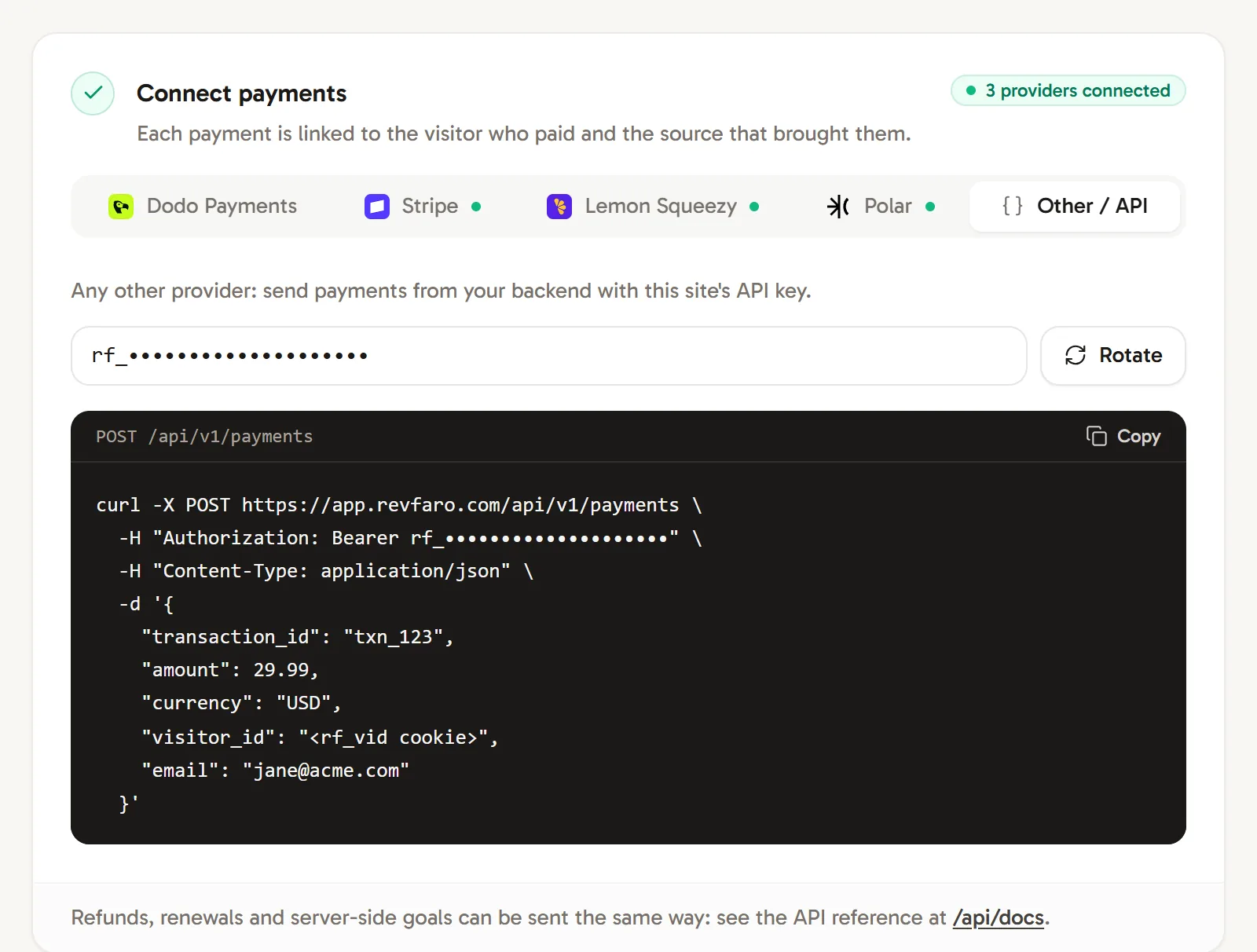
Get your API key
Open Website settings › Setup, go to Connect payments and choose Other / API. Copy the API key (it starts with
rf_) and store it in your server's environment, for example asREVFARO_API_KEY.Pass the visitor through your checkout
When the buyer starts a checkout, read their
rf_vidcookie on your server (or withwindow.revfaro.attribution()in the browser) and keep it with the order, for example in your provider's metadata.Report the payment from your server
When your provider confirms the payment (usually in its webhook), send it to Revfaro:
Terminalcurl -X POST https://revfaro.com/api/v1/payments \ -H "Authorization: Bearer $REVFARO_API_KEY" \ -H "Content-Type: application/json" \ -d '{ "transaction_id": "txn_123", "amount": 29.99, "currency": "USD", "visitor_id": "<the buyer's rf_vid cookie>", "email": "[email protected]" }'The answer tells you whether the payment was credited to a visit:
JSON{ "ok": true, "attributed": true, "visitor_id": "6f1c3a52-…" }
Fields
| Field | Required | Description |
|---|---|---|
transaction_id |
Yes | Your provider's unique payment ID. Sending the same ID again never counts the payment twice. |
amount |
Yes | A nonnegative amount in major units, such as 29.99, up to 1,000,000,000,000 minor units (10 billion USD). |
currency |
No | An active ISO 4217 code such as USD, or XTR for Telegram Stars. XTR amounts must be whole Stars. Defaults to the website's currency. Other currencies remain in history but are excluded from totals. |
visitor_id |
No | The buyer's rf_vid cookie. The surest way to credit the right source. |
session_id |
No | The buyer's rf_sid cookie. |
customer_id |
No | Your customer ID. Later payments with the same ID are credited to the first one's visitor. |
email |
No | The buyer's email. Matched against visitors you identified. |
name |
No | The buyer's name, shown in Journey. |
renewal |
No | true for a subscription renewal. |
refunded |
No | true to record a refund of this transaction instead of a payment. |
timestamp |
No | When the payment happened: an ISO 8601 date and time such as 2026-10-28T14:30:00Z or 2026-10-28T16:30:00+02:00, or Unix seconds or milliseconds. Defaults to now. |
Refunds and renewals
To record a refund, send the original transaction_id with "refunded": true and the total refunded so far, as a positive amount in the original currency. Repeated or out-of-order reports keep the largest total, capped at the original payment. The refund inherits that payment's visitor and visit. If it arrives first, it waits for the payment ("pending": true in the response). It is stored as a negative amount, so revenue stays net:
curl -X POST https://revfaro.com/api/v1/payments \
  -H "Authorization: Bearer $REVFARO_API_KEY" \
  -H "Content-Type: application/json" \
  -d '{"transaction_id":"txn_123","amount":29.99,"refunded":true}'
For renewals, send "renewal": true and the same customer_id as the first payment. The renewal is credited to the visitor who first subscribed and doesn't count as a new customer.
Requirements and errors
- The workspace's plan must include API access and Revenue attribution, and be active. Otherwise the API answers
403(feature not in your plan) or402(plan inactive). - A missing or wrong API key answers
401. Rotate in the Other / API tab replaces the key; the old one stops working immediately. timestampalso accepts an offset written as+0200or+02, no offset (read as UTC), a space instead of theT, or a date alone (midnight UTC). Anything else, a date before 2000 or a time more than a day ahead answers400with the codeinvalid_timestamp.- Call the API from your server only. It sends no CORS headers, so browsers can't call it, and your API key must never appear in a web page.
- Invalid amounts, currency codes, IDs or text answer
400.transaction_idis limited to 200 bytes. - Payments don't count toward your monthly events.
Server-side goals work the same way with POST /api/v1/goals; see Track goals. The full reference, with a form to try each request, is at /api/docs. See also API reference.
Frequently asked questions
Where is my API key?
In Website settings › Setup › Connect payments, on the Other / API tab (owners, admins and website managers). The same key is shown in the Bots tab. Keep it on your server, never in browser code.
What happens if I send the same payment twice?
Payments are identified by transaction_id, so sending one again doesn't count it twice. A repeat can add a visitor to a payment that had none, but it doesn't change the amount or currency.
How do I record a refund?
Send the same transaction_id with "refunded": true and the total refunded so far. Revfaro records the largest total as a negative amount next to the original payment.