Revenue attribution
Connect Polar
Send Polar orders and refunds to Revfaro with a webhook, and pass the visitor to Polar checkouts and Checkout Links for revenue attribution.
In short
Add a webhook in Polar with format Raw for order.paid and order.refunded, pointing to your website's Revfaro address, and paste its signing secret into Connect payments › Polar. Pass the visitor in the checkout's metadata and add ?checkout_id={CHECKOUT_ID} to your success URL; Checkout Links on your pages are tagged by the script automatically. Renewals keep the visitor who subscribed.
On this page
You need a Polar organization and a website in Revfaro with tracking installed. Open Website settings › Setup, go to Connect payments and choose the Polar tab.
These steps work with the script or npm SDK. With npm, initialize tracking on
checkout and return pages. Use your shared tracker.attribution() to read visitor metadata in the
browser; the SDK does not create window.revfaro.
Add the webhook in Polar
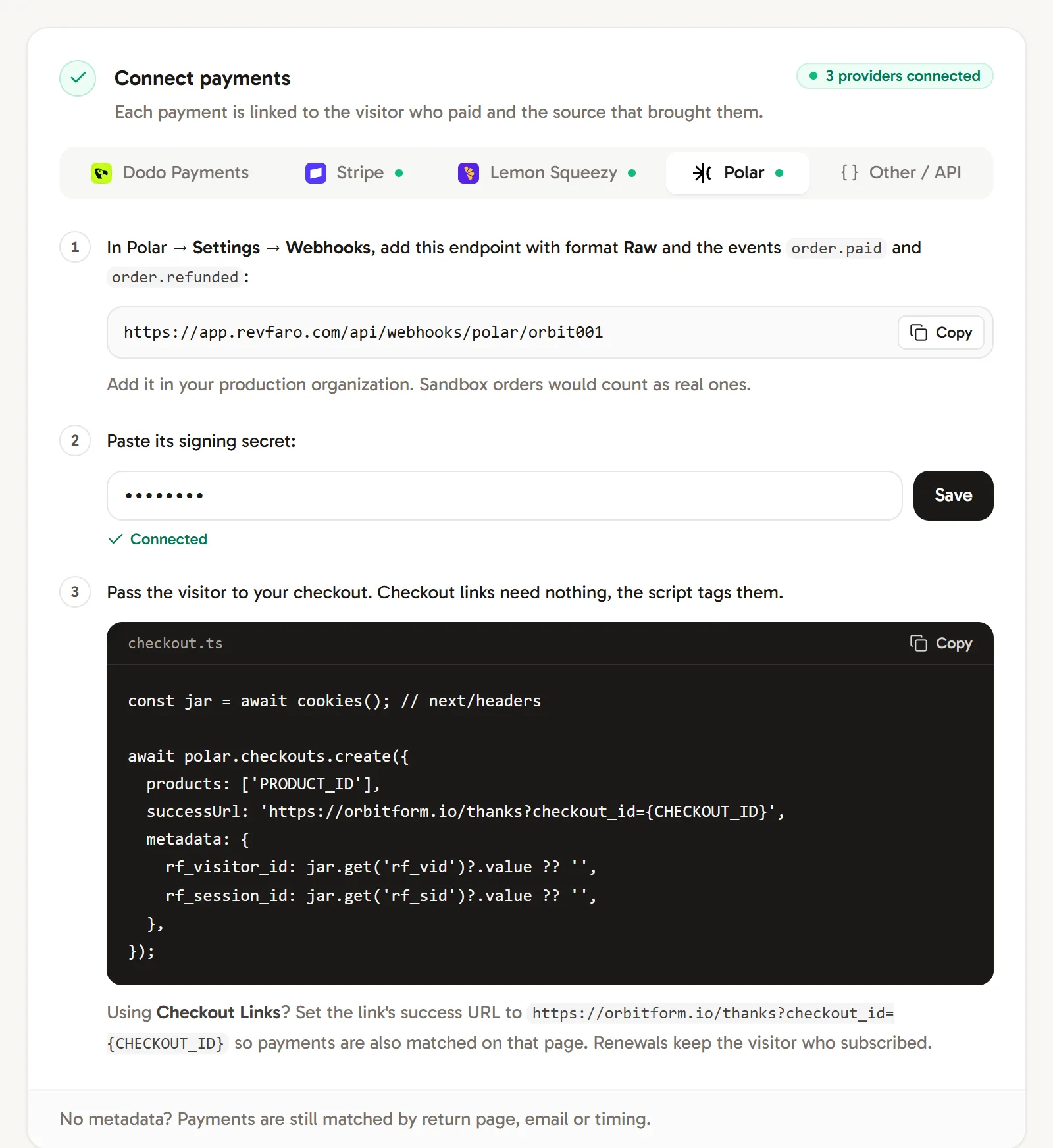
In Polar, go to Settings › Webhooks and add an endpoint with your website's address from the Polar tab:
https://revfaro.com/api/webhooks/polar/YOUR_SITE_IDSet the format to Raw and select the events
order.paidandorder.refunded. Add it in your production organization; sandbox orders would count as real ones.Paste the signing secret
Copy the endpoint's signing secret (it starts with
whsec_), paste it into Paste its signing secret and click Save. The tab shows Connected.Pass the visitor to your checkout
When your server creates a checkout, add the visitor's cookies as metadata and put
{CHECKOUT_ID}in the success URL:checkout.tsconst jar = await cookies(); // next/headers await polar.checkouts.create({ products: ['PRODUCT_ID'], successUrl: 'https://example.com/thanks?checkout_id={CHECKOUT_ID}', metadata: { rf_visitor_id: jar.get('rf_vid')?.value ?? '', rf_session_id: jar.get('rf_sid')?.value ?? '', }, });Polar fills in
{CHECKOUT_ID}, and Revfaro links the order to the visitor who lands on that page, even without metadata. Using the@polar-sh/nextjscheckout handler? Merge the same two keys into its metadata.
Using Checkout Links
Checkout Links (buy.polar.sh/…) need no code. When a visitor clicks one on your pages, the script adds reference_id=rf_<visitor id>__<session id>, unless the link already has your own reference_id. Polar copies it into the order's metadata.
Also set each link's success URL to:
https://example.com/thanks?checkout_id={CHECKOUT_ID}so payments are matched on that page too. The page must load the script and must not be excluded.
One organization, several websites
A Polar organization sends every order to every webhook. Add the webhook to each website in Revfaro: a payment counts where its buyer was tracked, or where the same customer paid before. Orders with neither signal count on every website that has the webhook, so pass the visitor at checkout.
What Revfaro records
- Orders from
order.paid. - Renewals (
billing_reasonsubscription_cycle) keep the visitor who subscribed, because Polar copies checkout metadata to the subscription. - Refunds from
order.refundedare subtracted, partial refunds included.
Frequently asked questions
Do Polar Checkout Links work with Revfaro?
Yes. The script adds reference_id=rf_<visitor>__<session> to every buy.polar.sh link on your pages, unless you set your own reference_id, and Polar copies it into the order. Set the link's success URL to your site with ?checkout_id={CHECKOUT_ID} as well.
Can I connect a Polar sandbox organization?
Add the webhook in your production organization. Orders from a sandbox organization sent to the same webhook would count as real revenue.
How are Polar subscription renewals credited?
Polar copies checkout metadata to the subscription, so renewals (billing_reason subscription_cycle) are credited to the visitor who first subscribed.