Features
Live view
Watch visitors, goals and payments on your website as they happen on Revfaro's live globe, with where they came from and what they are doing.
In short
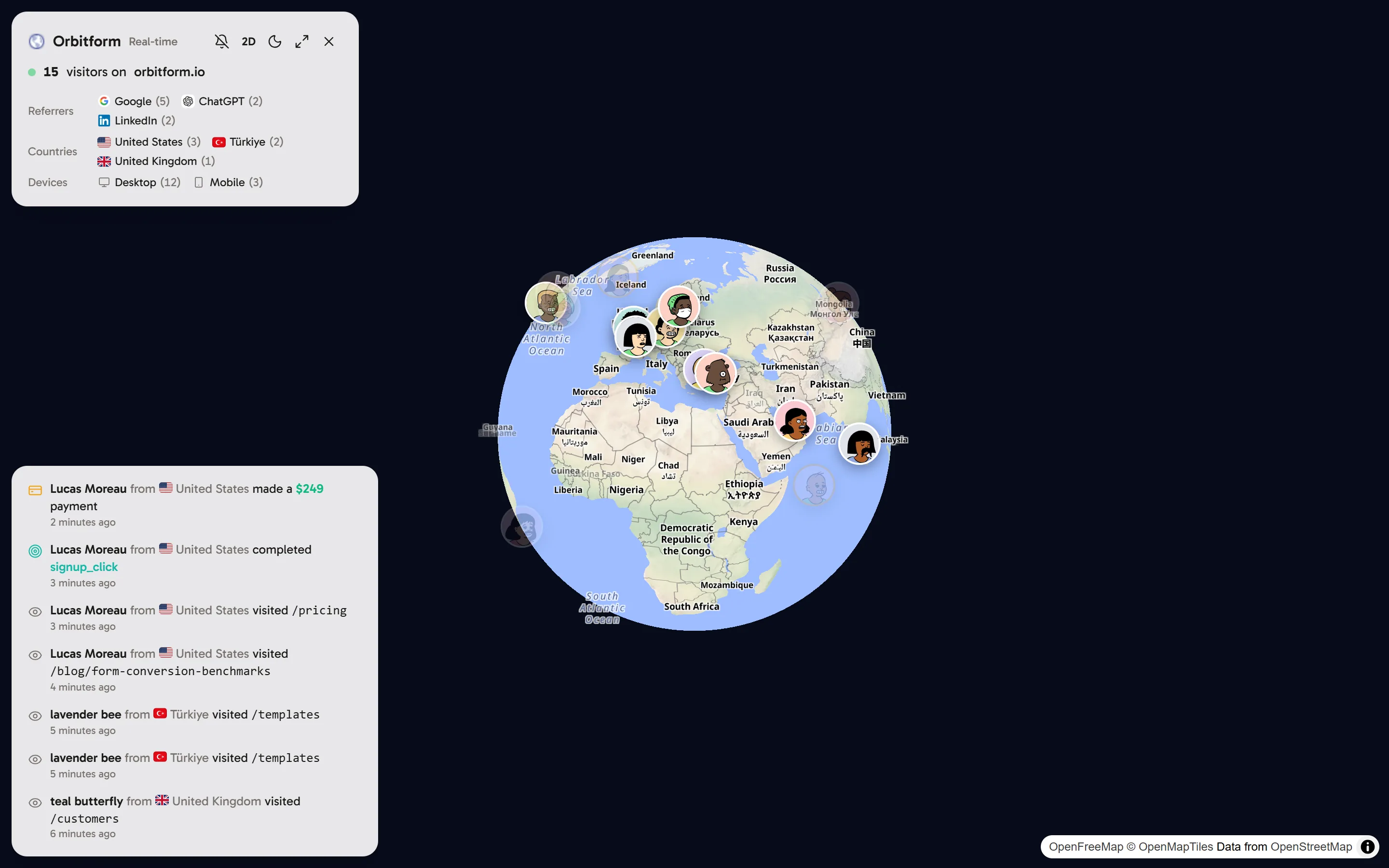
Click Live on a dashboard (or press M) to open a full-screen globe with everyone on your website right now. A summary card lists the visitors of the last 5 minutes by referrer, country and device, and the feed shows page views, goals, payments and refunds from the last 30 minutes. Live view is included in plans with the Live view feature.
Open the live view
On a website's dashboard, click Live at the top, or press M. Close it with the × button or Esc.
What you see
The globe. Each visitor online right now is a point at their city, with locations rounded to about 1 km. Visitors with an unknown location are counted but not shown.
The summary card (top left) shows how many visitors are on your website and lists the top Referrers, Countries and Devices among them. Visitors count as online for 5 minutes after their last activity.
The activity feed (bottom left) lists page views, goals, payments and refunds from the last 30 minutes, newest first. Identified visitors appear with their name; others with their generated nickname.
Controls
| Button | What it does |
|---|---|
| Bell | Turns sound for new activity on or off |
| 3D / 2D | Switches between the globe and a flat map |
| Sun / moon | Switches between a light and a dark map |
| Fullscreen | Fills the whole screen, for a wall display |
| × | Closes the live view (or press Esc) |
Good to know
- The live view uses the same data as your dashboard, so excluded traffic and bots never appear.
- If you see "Live view is not part of your plan", the workspace's plan doesn't include it. See Plans, billing and usage limits.
- Want to check your installation? Open your website in another tab: your own visit appears within seconds, unless you excluded yourself with
?rf_ignore=true.
Frequently asked questions
Who counts as online in the live view?
Visitors with activity in the last 5 minutes. The activity feed goes back 30 minutes.
Why are some visitors not on the map?
When a visitor's location isn't known, they are counted in the summary but can't be placed on the globe. The card says how many.
Can I hear new payments?
Yes. Turn on sound with the bell button in the summary card.